Your subscriptions run on their own timetable. A work tool renews on Monday, a streaming service on Friday and a travel app whenever you need it. If you hold crypto, you can give eligible subscriptions a card balance of their own instead of putting every purchase on the same card.
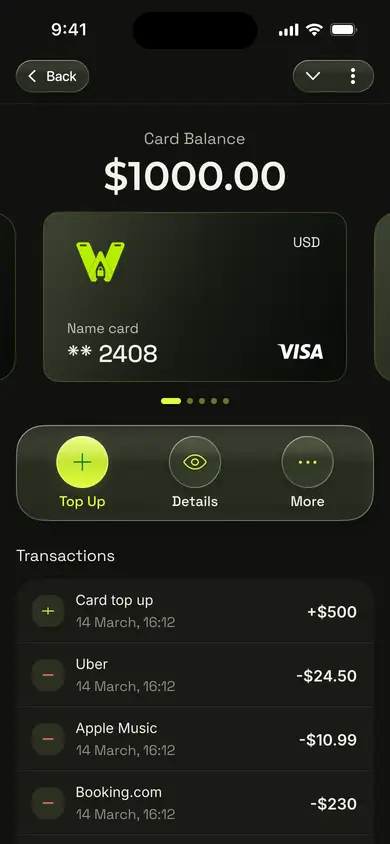
Our Telegram app brings crypto-funded virtual Visa card setup and controls into one place. The useful idea is small: decide which subscriptions belong together, top up the balance you want available for them, and check that balance where you already manage the card.
Give recurring payments a clear place
Start by looking at the subscriptions you actually use. Work software might belong on one card, while personal services belong on another. You can name the cards so their purpose is obvious when you open Telegram. We support up to five active cards, which gives you room to separate a few groups without creating a new card for every small payment.
This is useful even if you already have a bank card. A separate balance makes it easier to see what you have set aside for recurring purchases. It also gives you a simple habit: review what is coming up, then add funds when you are ready.
Set up the balance in the right order
First, transfer a supported cryptocurrency to your woocard wallet. Your wallet balance covers card issuance. Once the card is issued, top it up with the amount you plan to spend. Card details, the balance and recent transactions are available in Telegram.
For a subscription that accepts your card details, enter them at checkout as you would with another virtual Visa. When a payment needs a 3D Secure code, you receive it in Telegram. Funds become available to spend in less than 60 seconds after a card top-up, so you can prepare the balance close to an upcoming renewal instead of loading it far in advance.
The minimum top-up is $20. That makes it worth grouping smaller subscriptions into a sensible card balance. You do not need a separate card for every app. Two clearly named cards may be easier to manage than five cards you rarely check.
Keep the routine simple
Once a week, glance at the renewals ahead and the balance on each card. If a work tool is due, top up the work card with an amount that covers the planned payment. If a personal subscription no longer matters, you can make that decision before adding more to its card. Your transaction list in Telegram helps you see what was actually charged.
This is ordinary spending. The goal is to make a familiar payment easier to organize when your funds begin as crypto. A subscription is a useful example because you already know the merchant, the price and when the charge is expected. You can focus on one clear purchase instead of learning every possible card feature at once.
Know the cost before you fund
The current Standard card issuance price is 9 USDT, and there is no monthly maintenance fee. For a USD card, the top-up fee is 2.8%. An additional fixed 1 USDT top-up fee may apply, and network fees may apply when you transfer crypto. Review the amount shown before you fund your wallet or card.
Those numbers matter more than a broad claim that one payment method is always cheaper. If you plan to top up for several small subscriptions, consider the total amount you expect to use and the cost shown for each funding step. A clear balance and a clear fee are more useful than a surprise at renewal time.
Try it with one subscription
Choose one eligible subscription you already pay for. Decide whether it belongs on a work or personal card, prepare the balance and enter the card details at checkout. After the first renewal, check the transaction in Telegram. You will have a routine you can repeat for other purchases if it suits you.
You can see the steps in our Telegram app walkthrough, then open woocard in Telegram when you are ready to set up a card.